

EDI-Sales — connections with any retailer

A complete solution for suppliers delivering seamless EDI connectivity with retailers and trading partners across all industries.

Why Do You Need It

Retailers Compliance

Ensures full adherence to mandatory 2DOC and 4DOC document exchange standards, reducing the risk of costly penalties caused by supply discrepancies or delivery delays. Strengthens collaboration with retailers and keeps your operations fully compliant.

Cost Savings

E‑documents flow automatically between supplier and retailer ERP systems, eliminating manual work and minimizing errors. This boosts productivity, optimizes resource usage, and significantly reduces operational overhead and avoidable expenses.

Speed and Accuracy

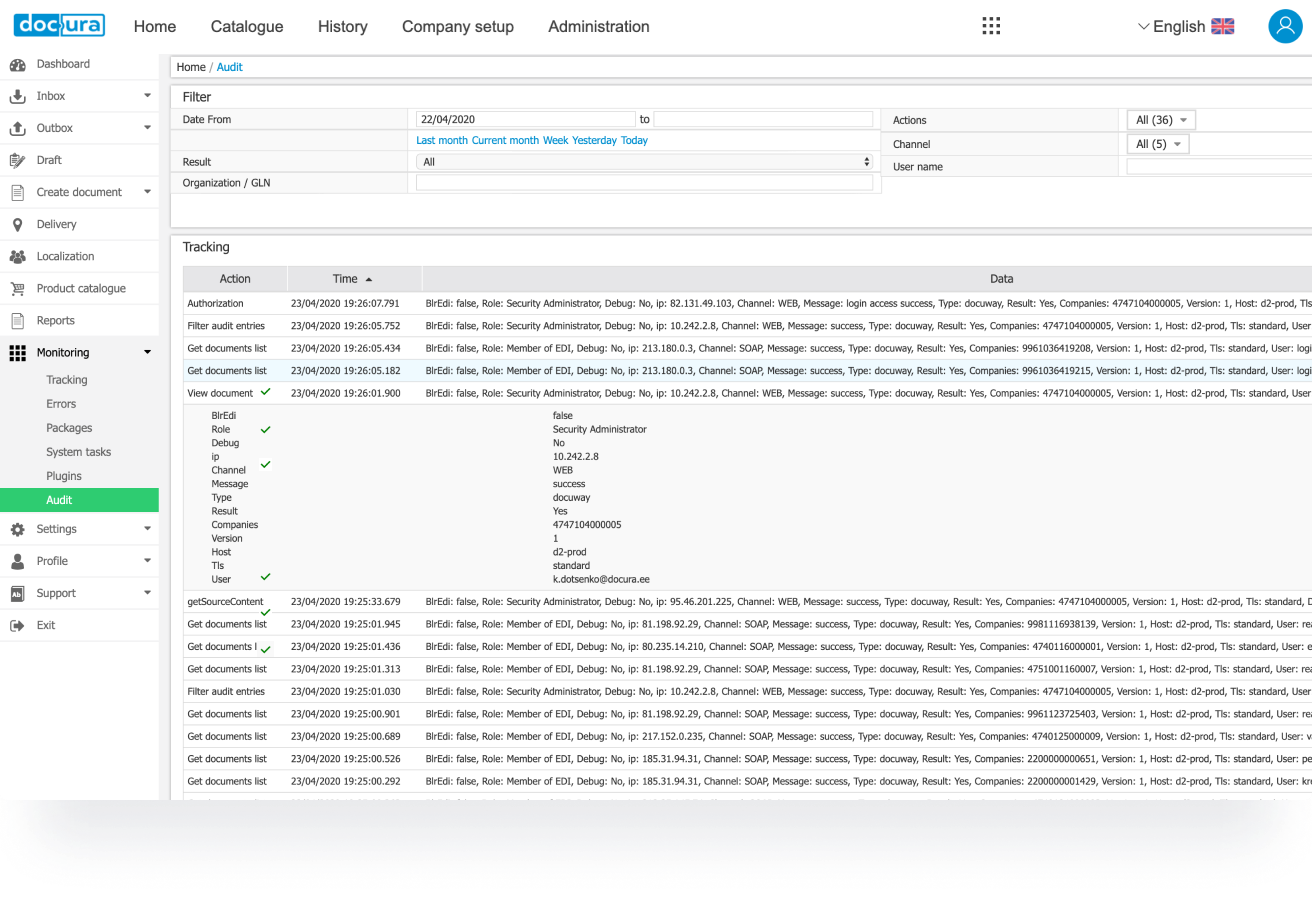
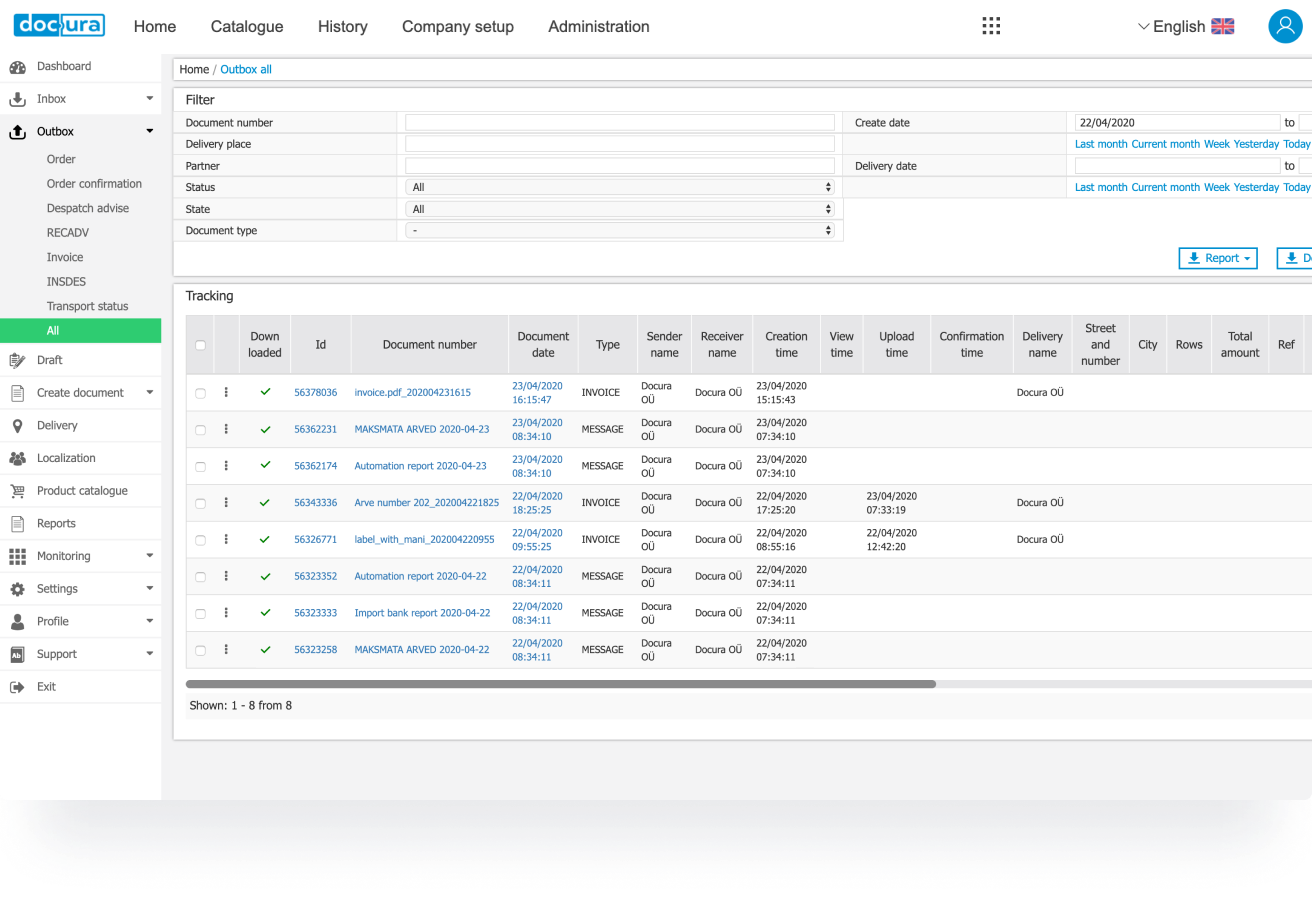
Accelerates order processing and ensures faster product availability on store shelves. Enhanced visibility and real‑time monitoring enable precise document tracking, smoother workflows, and quicker collection of accounts receivable.

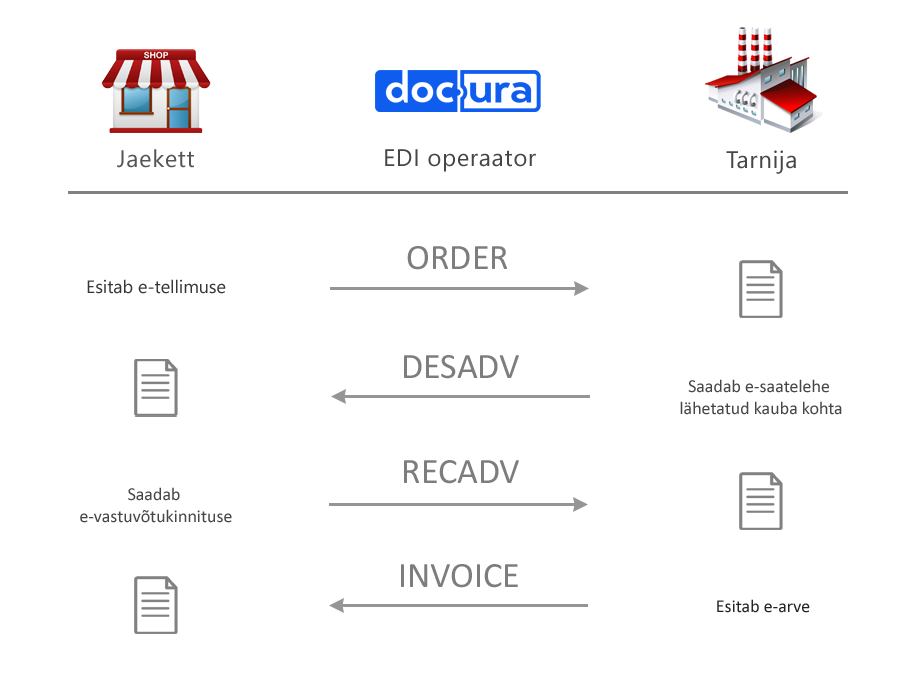
How It Works

1.

Retailer submits an electronic order (ORDER)

2.

Supplier sends a dispatch advice (DESADV)

3.

Retailer sends a receiving confirmation (RECADV)

4.

Supplier issues an electronic invoice (INVOICE)

Main Capabilities

Additional Capabilities

Why Should You Work with Docura?

Best Value for Money

Network Reach

Dedicated Support

Industry Expertise

Price Transparency

Continuous Monitoring

Ways to Connect

Integrated Workflow

Documents are automatically delivered into your ERP system and generated directly within it. Integration setup is required.

How to Connect:

  1. Register your organization at app.docura.net.
  2. Activate the connection in your ERP.
    Follow the instructions provided for your ERP to enable document exchange.
  3. Send a connection request to the selected retail chains and wait for their confirmation.
  4. Test the document exchange. Make sure that orders are received successfully and invoices are sent correctly.

If you have any questions, please contact customer support.

Web Portal

Work with documents directly through your browser. No integration is required, and it is suitable for small document volumes. The portal allows you to receive orders and delivery confirmations, as well as create dispatch advices and invoices based on the order.

How to Connect:

  1. Register your organization at app.docura.net.
  2. Send a connection request to the selected retail chains and wait for their confirmation.
  3.  Test the document exchange. Make sure that orders are received successfully and invoices are sent correctly.

If you have any questions, please contact customer support.

FAQ

EDI (Electronic Data Interchange) is the exchange of commercial documents between organizations in standardized electronic formats. Each message describes a specific stage of delivery — from order to closing documents. Partners themselves determine the composition of the EDI message chain based on the specifics of their business processes.

An e-invoice is an electronic invoice transmitted within a single country according to national requirements (for example, in Estonia — E-arve, in Latvia — E-rēķini).
PEPPOL e-invoice — an international e-invoice format used for exchanging documents between foreign partners.

An “EDI invoice” is usually understood as a warehouse document used in logistics and goods turnover. However, this is a common misconception: an experienced EDI operator can configure an e-invoice for warehouse processes and an EDI invoice for financial accounting.

GLN (Global Location Number) is a unique 13-digit identifier for a legal entity or its subdivision (warehouse, store, office). In EDI messages, the GLN unambiguously identifies the parties to a transaction and delivery locations. The number is issued by the national GS1 organization (in Estonia — GS1 Estonia, in Latvia — GS1 Latvija); GLN registration and maintenance are paid separately, directly to GS1.

Integration is possible with all modern accounting systems. Ready-made integrations already exist for ERPLY, Merit, Directo, Navision (Business Central), and dozens of other ERPs. If your system isn’t on the list yet — write to Docura support, and we’ll set up the integration.

Docura is connected to all retail chains in Estonia and to the main chains in Latvia and Lithuania. Current partner list: https://docura.net/partners/. If the partner you need isn’t on the list, contact support — we’ll arrange the connection.

The web portal is suitable for companies with low document volume (up to ~20 orders per month) or those whose accounting system can’t be integrated. Through the portal, you can receive and send all electronic documents without integration, and at any point, as volumes grow, switch to full integration with your accounting system.

Yes, new clients have a trial period to get familiar with the platform before making a decision. You can sign up on your own, without calling a manager: https://docuid.docura.net/sign-up.

If your partner and your accounting system are already connected to Docura, exchange can be launched within a few days. A new integration, with all necessary data available, takes about two weeks, plus up to two more weeks for testing and debugging.

Yes. Notifications are configured on the portal in the organization settings section. You can also simply let support know what you’d like, and we’ll set it up.

These are automatic emails about a problem transmitting a specific document — most often due to a missing product code or delivery location. The email contains instructions on the necessary actions. All errors are additionally reviewed by support, who will contact you at your error contact address if needed. Check that this address is set in the organization settings in your account.

Live chat support on the portal (bottom right), email: support@docura.net, phone: +372 5640 620. Support operates on weekdays; document flow monitoring — around the clock.

The main region is Estonia, Latvia, and Lithuania; connections with partners in Finland and the USA have also been implemented. The platform supports international document exchange: if your partner is in another country, contact us.

The standard chain includes four messages. ORDER — order: generated in the retail chain’s accounting system and automatically exported to the supplier’s system. DESADV — dispatch advice, the electronic equivalent of shipping documents. RECADV — receiving advice: a list of goods actually received and reasons for non-acceptance, allowing a correct invoice to be issued. INVOICE — invoice: generated in the supplier’s system and automatically loaded into the retail chain’s system.

2DOC — a simplified two-document chain: ORDER and INVOICE. 4DOC — a full four-message chain: ORDER, DESADV, RECADV, and INVOICE.

Docura has solutions for all types of suppliers — from large manufacturers to small local companies — allowing full automation of document exchange with all partners. The mass-connection process is called onboarding. More details: https://docura.net/edi-onboarding/.

Compare metrics before and after implementation: time spent processing a single document, order fulfillment accuracy (number of errors and corrections), and overall efficiency of the procurement process.

EDI eliminates manual order entry on the supplier’s website. You create the order directly in your accounting system, and the confirmation and approval of the order are automatically returned to the same system. No more switching between applications and manually transferring data — this saves time and eliminates input errors.

Yes, of course. Instead of emails and phone calls, all orders will automatically arrive in your system. To set this up, we need your product catalog and price catalog (can be a single file); individual prices can be set for each customer or customer group.

Identify the key processes you want to automate: typically these are warehouse receiving, warehouse shipping, and cross-docking. Then check the readiness of your logistics partners and contact our technical team for initial integration setup.

You can keep your current operator for financial documents and run logistics processes through a separate EDI channel — the platform supports flexible work with multiple providers. However, moving all exchange to Docura is usually cheaper and easier to maintain: we can send your customers’ orders directly to the logistics partner.

No. The solution is compatible with most modern ERPs and accounting systems: integration is done through standard interfaces, without replacing your current system.

The solution has been successfully implemented in cooperation with a number of major logistics operators. Current partner list: https://docura.net/partners-logistics/.

These solutions complement each other: EDI-Logistics handles the exchange of electronic documents that accompany the logistics process, while Paperless Logistics manages the digital processing of accompanying documents. Together, they enable a fully paperless logistics workflow.

News

How to start cooperating with retail chains

How to start cooperating with retail chains

The key stages for starting sales in retail are negotiations, agreeing on the assortment, and connecting to an electronic data…

Paradise Finest Foods: Our EDI Costs Were Cut in Half

Paradise Finest Foods: Our EDI Costs Were Cut in Half

When evaluating potential agencies, consider their expertise in various aspects of branding and design.

EDI-REPORTS is Sales Improving Tool

EDI-REPORTS is Sales Improving Tool

Are your products listed in Selver assortment? If yes, then we have a solution to improve your sale

EDI Connections with retailers

EDI Connections with retailers

Docura is an Approved EDI Partner The best assessment of an EDI operator’s activity is the trust of retail chains.

Get in Touch

We’ll help you find the best solution tailored to your needs.